
VitalTap

iPhone / iPad · iOS 15.1+

Tap to count.Get the rate per minute.

Tap along with each breath or pulse beat, and the app works out the per-minute rate and records it. Results can be copied as text into a chart.

Download on the App StoreFree (with in-app purchases)

Scan with your iPhone

VitalTap

When it helps

What it does

  1. 01

    Count by tapping

    Tap the screen with each breath or pulse beat. For breathing, you can also hold while you inhale.

  2. 02

    Per-minute rate, calculated

    The app converts your count to a per-minute value from the elapsed time.

  3. 03

    Choose the duration

    Pick a measurement time such as 15, 20, 30 or 60 seconds.

  4. 04

    History kept automatically

    Every result is saved to the history, which you can filter by measurement type or person.

  5. 05

    Text for medical records

    Share results or history as text in a Simple or Detailed format.

  6. 06

    Tags for context

    Add a tag such as Resting, Exercise, Finished or Break, plus a memo.

In detail

01

Just tap the screen to count

Choose pulse or respiratory rate and a measurement duration, then tap the large circular button to count. The app calculates the per-minute value from the elapsed time automatically.

  • Optional 3-second countdown before you start
  • Pick a duration such as 15, 20 or 30 seconds
  • Full-screen mode lets you tap anywhere
02

End early and still get a value

If you stop before the set time, the per-minute value is calculated from the longest step reached among 10, 15, 20, 30 and 60 seconds. A measurement cannot be ended before 10 seconds.

  • Example: ending at 14 seconds uses the first 10 seconds
  • Optional haptic pulse every 10 seconds while measuring
03

Hold to record each breath

For respiratory rate, you can either hold the screen while inhaling and release to exhale, or simply tap on every inhale. Holding also records inhale and exhale durations.

  • Inhale:exhale ratio shown in the result
  • Breathing pattern graph
  • Tapping alone still counts breaths
04

See tap intervals for pulse too

When you tap two or more times during a pulse measurement, the app records the intervals between taps. The result screen shows the average interval and graphs. It is a reference display, not a diagnostic tool.

  • Tap interval graph
  • Average, shortest and longest interval
  • Show intervals in seconds or milliseconds
05

Add memos and tags for context

On the result screen you can attach a memo and tags. The memo editor offers quick inputs such as blood pressure, temperature, SpO2, after exercise and after meals, and you can add or reorder your own.

  • Tags: Resting, Exercise, Finished, Break
  • Edit the tap count afterwards; edits are logged
06

Share and export history together

Filter the history by respiratory or pulse and by person. Select several records to share them as text or delete them in one go.

  • Simple and Detailed output formats
  • Register people and filter by them
  • Light and Dark appearance

How it works

  1. 1

    Choose the type and duration

    On the measurement screen, pick Pulse or Respiratory and a measurement duration. You can also switch the pre-measurement countdown on or off here.

  2. 2

    Tap the screen to count

    Once started, tap in time with each pulse beat. For breathing, tap on every inhale, or keep your finger down for as long as you inhale.

  3. 3

    Check the result

    Measurement ends on its own when the set time is up, or you can end it early. The result shows the per-minute value and the tap count.

  4. 4

    Add a memo and tags, then save

    Add a memo and tags if you like, then tap Save Tags & Memo. To measure again right away, tap Measure Again.

  5. 5

    Share from the history

    Select records in the History screen and share them as text in the Simple or Detailed format.

Screens

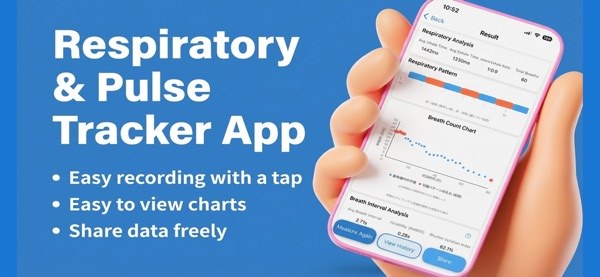
Breathing analysis with charts

FAQ

Can I use it for diagnosis?

No. It is a tool for everyday health records, not for diagnosis. It counts your taps, converts them to a per-minute value and records the result.

What measurement durations can I choose?

Options include 15, 20, 30 and 60 seconds, plus longer durations for Premium.

What happens if I end before the set time?

You can end once 10 seconds have passed. The per-minute value is calculated from the longest step reached among 10, 15, 20, 30 and 60 seconds.

Do I have to hold the screen for breathing?

No. Tapping alone counts breaths. Holding while you inhale also records inhale and exhale durations and the breathing pattern.

Can I paste records into a chart or EHR?

Yes. You can share or export results and history as text. Simple puts one record per line; Detailed adds date, time and breathing rhythm.

Where is my data stored?

Measurement data is stored on your device. The privacy policy lists the services the app uses: Firebase Analytics for usage data, Firebase Crashlytics for crash information and RevenueCat for purchase status.

Does it cost anything?

The app is free to download with in-app purchases. The in-app purchase screen shows monthly and yearly plans, with a one-week free trial, and a lifetime purchase.

Which devices are supported?

iPhone and iPad running iOS 15.1 or later.

Count your next measurement with a tap.

Download on the App Store
VitalTapGet